Every developer needs a portfolio — not just as a showcase of projects, but as a way to communicate who they are and what they can do. Earlier this year, I decided to give my old portfolio a complete makeover. My previous site was hosted on Netlify and built with plain React, but I wanted something more modern, scalable, and SEO-friendly.
That's how my new portfolio, built with Next.js 15 (App Router), TypeScript, Tailwind CSS, and hosted on Vercel, was born: 👉 oyetech.vercel.app
🚀 Why I Chose This Stack
Next.js 15 (App Router):
- Server-side rendering for better SEO.
- File-based routing made managing pages easier.
- Built-in support for server actions, which I plan to use for things like handling form submissions.
TypeScript:
- Strong typing helped catch errors early during development.
- Made my codebase more predictable and easier to maintain.
- Better developer experience with IntelliSense and autocomplete in VS Code.
Tailwind CSS:
- Writing CSS classes directly in my JSX sped up development.
- Easy to make the design responsive with breakpoints.
- Utility-first approach let me focus more on design and less on managing separate CSS files.
Vercel:
- One-click GitHub deployment.
- Free hosting with SSL and blazing-fast load times.
- Built-in optimizations for Next.js projects.
✨ Designing the Layout
I wanted the portfolio to feel minimal, modern, and smooth. Here’s the structure I followed:
- Home → Hero section introducing me
- About → A short story about who I am and my journey
- Projects → Featured projects with images, descriptions, and links
- Skills → My technical stack, displayed in a clean grid
- Blog → Where this post (and future ones) lives
- Contact → A simple form and social links
I used Framer Motion to add subtle animations — things like fade-ins, slide-ups, and hover effects. For example:
import { motion } from "framer-motion";

export default function Hero() {
  return (

      Hi, I'm Oyetech 👋

        A web developer building modern and user-friendly apps.


  );
}
👎 Challenges I Faced
Every rebuild comes with its hurdles. Here are some of mine:
-
Migrating from React Router to App Router
I had to rethink my routing logic because Next.js 15 handles routes differently. Instead of <Switch> and <Route>, everything became file-based, which took some adjusting.
-
Making it fully responsive
Tailwind helped, but I still had to fine-tune padding and spacing so the site looked good on mobile screens.
-
Handling SEO-friendly slugs for the blog
I wanted URLs like /blog/how-i-built-my-portfolio instead of just /post1. Next.js dynamic routes made that possible.
✨ Deployment
Deploying with Vercel was one of the easiest parts. I connected my GitHub repo, clicked deploy, and within a minute my portfolio was live.
I also added a redirect from my old Netlify portfolio so anyone visiting portfolio-oyetech.netlify.app would automatically land on the new Vercel site. This way, no traffic gets lost.
These are the preview images of the old and new portfolios 👇
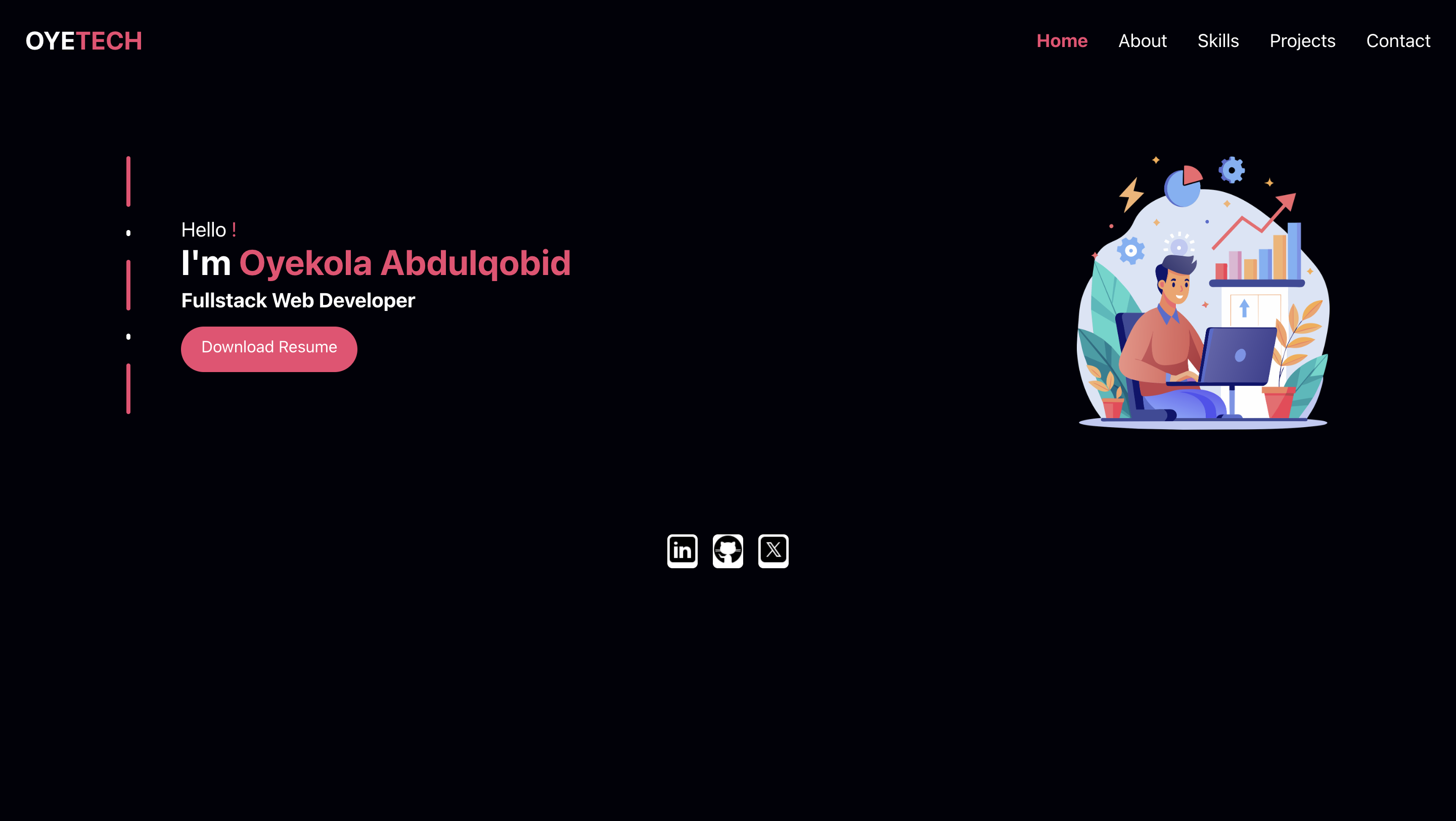
Old Portfolio with React.js
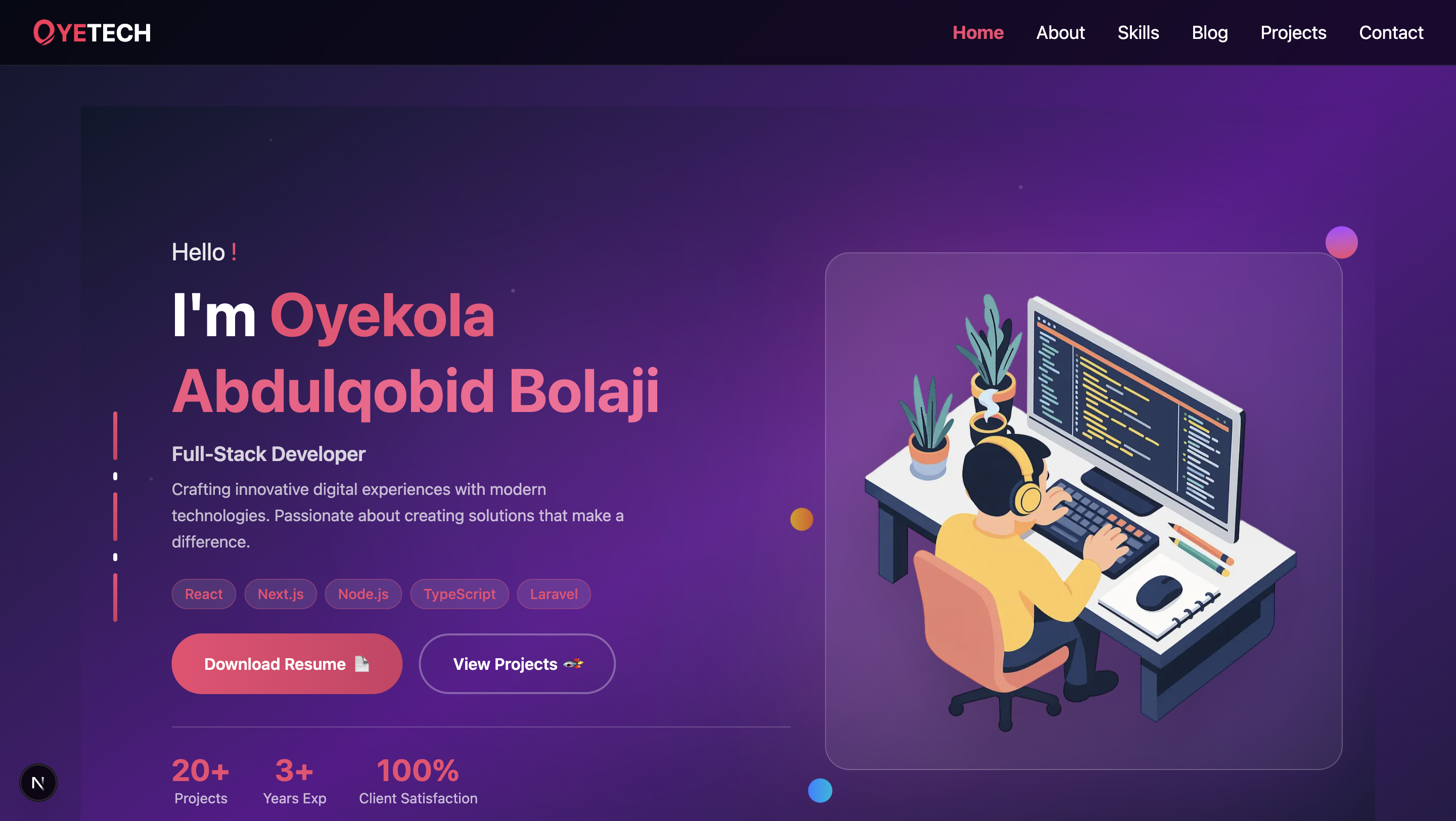
New Portfolio with Next.js
Rebuilding my portfolio wasn’t just about a new look — it was about upgrading my stack, improving performance, and preparing for future growth (like this blog).
Through this process, I learned:
- How powerful Next.js App Router is for SEO and routing
- How TypeScript makes code safer and less error-prone
- How much Tailwind CSS speeds up styling
- How smooth deployments can be with Vercel
This is just the beginning. I’ll be using this blog to share more about my journey — from building fullstack apps to exploring React Native and security-focused projects